
The business question What is our standards catalog? shows the components that are assigned to the IT capability model.
Identify the use of components that are not permitted and reduce non-standard technologies. Understand the importance of technologies due the business in terms of the application usage and supports cost reduction by promoting standards.
Navigate to What is our standards catalog?
Use the method that is most convenient for you:
- In the left navigation panel, enter What is our standards catalog? in the Search Navigation field.
- In the left navigation panel, click Home. In the content area, go to the Business Questions page and click the tile for What is our standards catalog?
- In the left navigation panel, expand the sections Business Questions and Governance and click What is our standards catalog?
What information is displayed in What is our standards catalog?
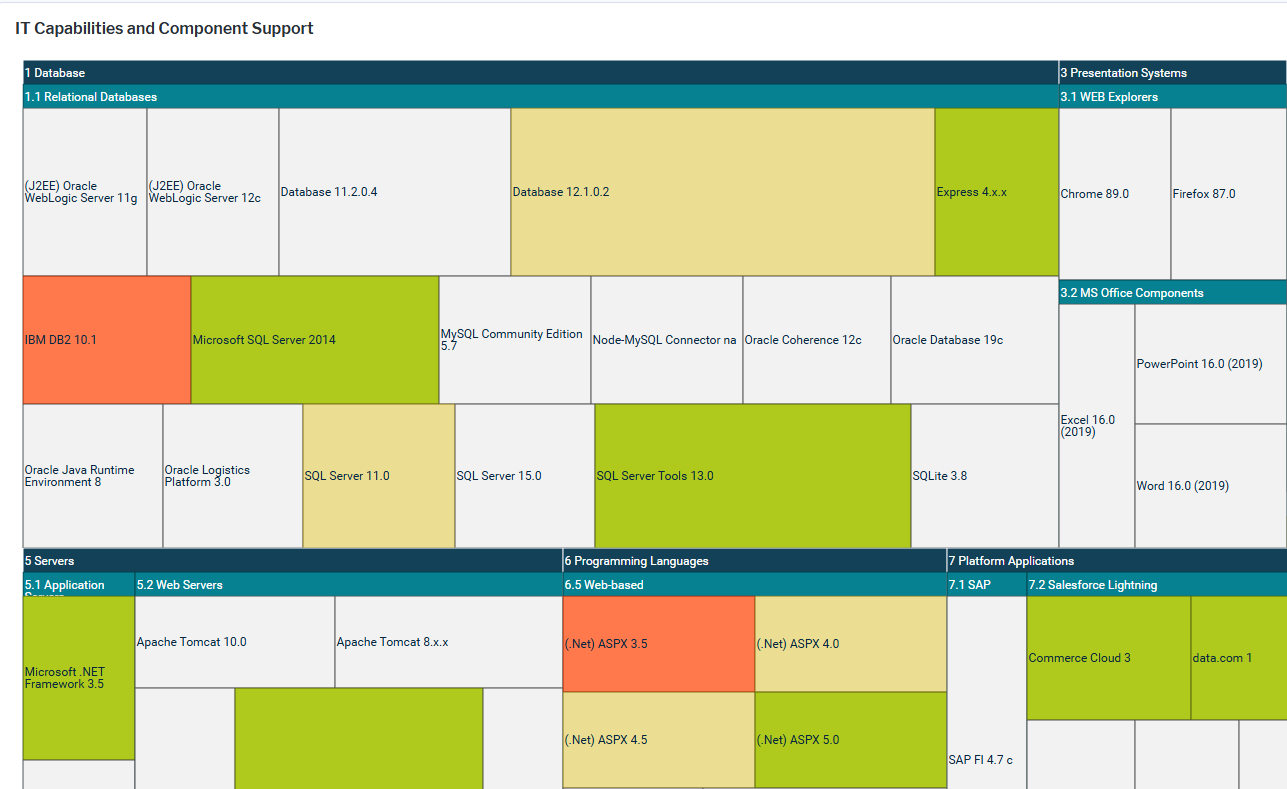
The treemap report shows the first-level and second-level IT capabilities in the IT capability model that have components assigned to them. Here's how to interpret the information:
- The first-level IT capabilities are colored dark teal.
- The second-level IT capabilities are colored a lighter teal. The IT capabilities that are subordinate to the second-level IT capabilities are not displayed in the report but are included in the data source and the calculation of component use.
- The boxes represent the components assigned to the second-level IT capability or its subordinate IT capabilities.
- The size of the component boxes represents the use of the components by applications. The larger the box, the higher the number of active or planned applications that use the component. These are the IT capabilities that have the most importance for the business in terms of technology use. Point to a component to show a tooltip with the following information: Component name, Standardization value, number of applications supported.
- The components are colored based on the value assigned to the Standardization attribute.
- Orange
 : The component is not permitted. Contact the authorized user or IT owner to understand whether a standard technology can be used instead.
- Yellow
 : The use of this component must be approved. Contact the authorized user or IT owner of the component to ensure that it is approved.
- Green
 : The component is standard and may be used.
- Grey
 : The Standardization attribute is not defined. Request the authorized user or IT owner to document the level of standardization of the component.
- Orange
How can I edit the data in What is our standards catalog?
If you have the relevant access permissions, you can edit the IT capabilities and components in this business question.
- To edit a single IT capability, double-click the IT capability in the matrix to open its content area.
- To open a data workbench to edit all IT capabilities, click the
 edit button > Edit IT Capabilities. Use the features of the data workbench to slice-and-dice your data to focus on data and do the analyses you are interested in.
- To open a data workbench to edit all components, click the edit button > Edit Components.
What data is required for What is our standards catalog?
Business question: What is our standards catalog
Purpose: Understand the use of components and reduce non-standard technologies.
DATA REQUIREMENTS
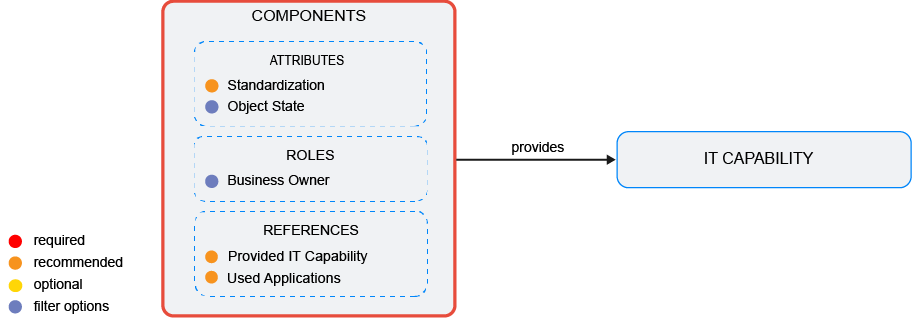
Capture the data necessary for the business question. Components and IT capabilities must be in the repository and well documented. Try to capture as much information as possible about the components and IT capabilities because complete data considerably improves the results of the business question and your ability to focus on the data that is most important to you.
- Specify the components attributes including Standardization and IT Capabilities.
- Review the applications that use the component
Improve the data and correct data quality issues. Go to the business question's Data Quality > Data Completeness. This visualization helps you to assess whether sufficient data is available to produce meaningful and reliable results for the business question.
- Go to Pending Issues to resolve data quality issues and improve the data that the business question is based on. Only the first 5000 issues are displayed.
- Go to the Data Source page to understand the underlying data relevant to the business question. The data source is a list report and cannot be edited.