
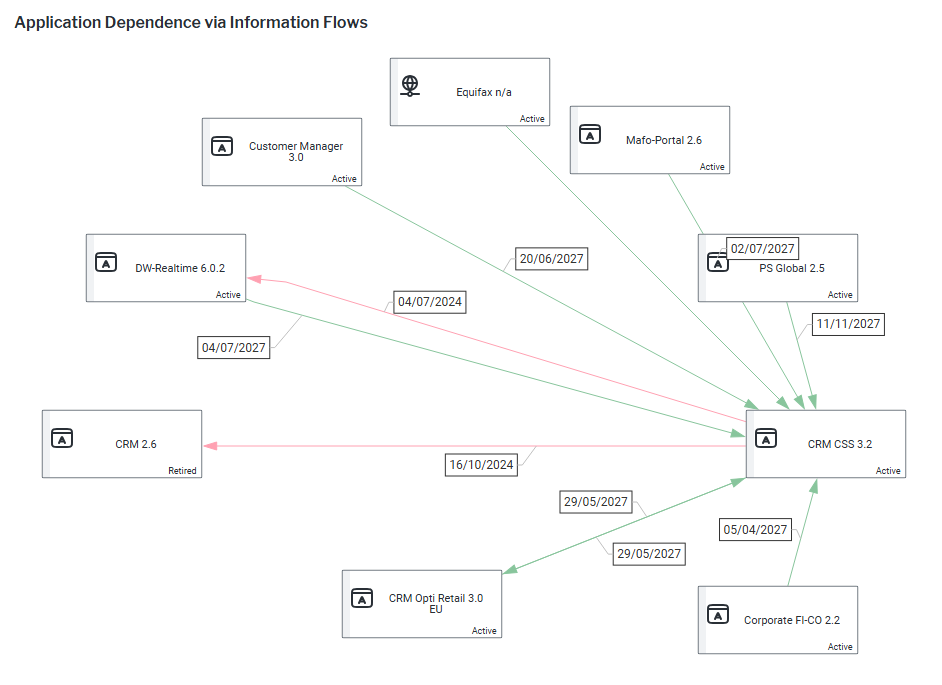
Review retired information flows that have an outgoing or incoming application that is active. Consider whether the source or target application can be rationalized if no data is being transferred.
- Go to the business question What are our architectural dependencies? and click the
 local filter button.
 - Select an application in the Application field.
- In the Application Attributes field, select Object State to add the application state to the application item in the diagram.
- In the Information Flow Attributes field, select End Date to add the end date to the information flow.
- Click Update and click X to close the filter panel.