
Alfabet offers publishing of views from scratch. Publication includes export to PDF, Microsoft Excel®, CSV, SVG, JPEG, and PNG file format. These publication options export the content of the current view only.
Alternatively, you can publish various views about one or multiple objects simultaneously to a Microsoft Word® file. For this kind of publication you need to provide a template containing bookmarks, a mapping table to map Alfabet data and views to bookmarks in the template, and a publication environment for users to trigger publications.
Publications can be configured to include information not only about one object or multiple objects of the same object class, but also about related objects. The publication definition can be regarded as a tree. Each node in the tree must be mapped to bookmarks in a Microsoft® Word template.
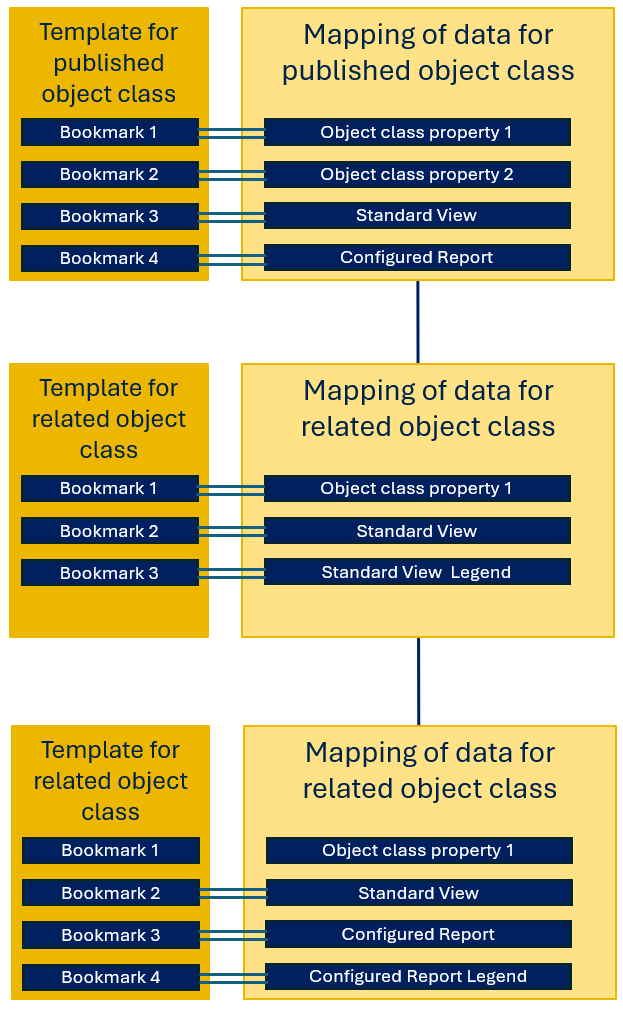
Multiple nodes in the tree can be mapped to the same Word template provided that the same data structure applies to the publication of the data about the objects found for the node.
The mapping of object data to a Word template is defined per node in the publication definition (and not per object class). You can use different Word templates for data about the same object class if the objects of the respective object class are found via different nodes in your publication definition. For example, if you are publishing data about applications and their information flows, you can publish different data about the application the publication starts with and the applications connected via the information flow.
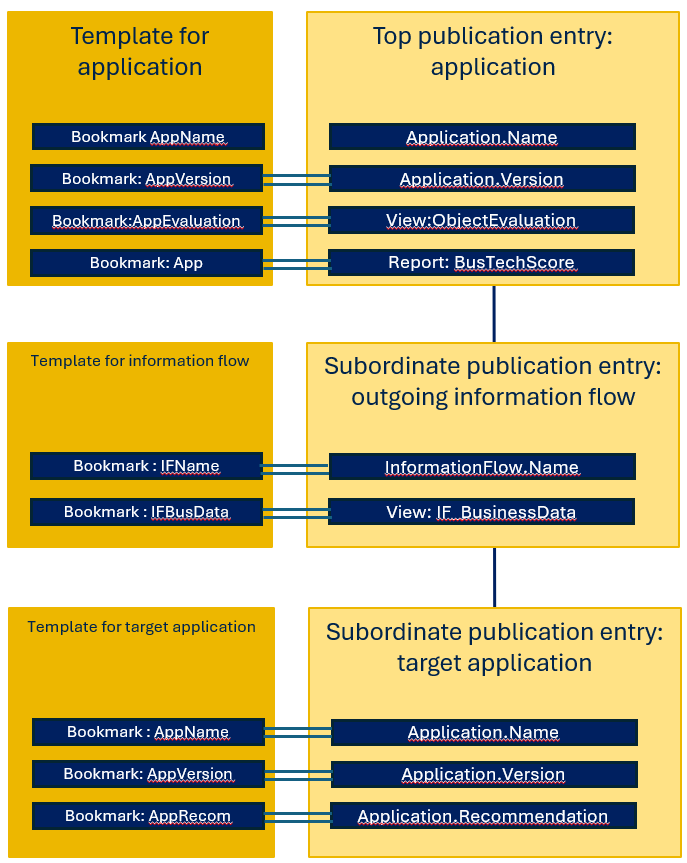
The publication templates are defined directly in Microsoft® Word. They are simple Microsoft® Word documents that can be formatted according to your needs using the mechanisms available in Microsoft® Word.
The text and design you define in the Word template will be published for each object found for the node in the publication definition. You must add Microsoft® Word bookmarks as placeholders for data coming from Alfabet .
The following object information can be added to a publication:
- Object class property values
- Graphic views
- Configured reports
- Datasets that are the result of a query defined in the publication definition.