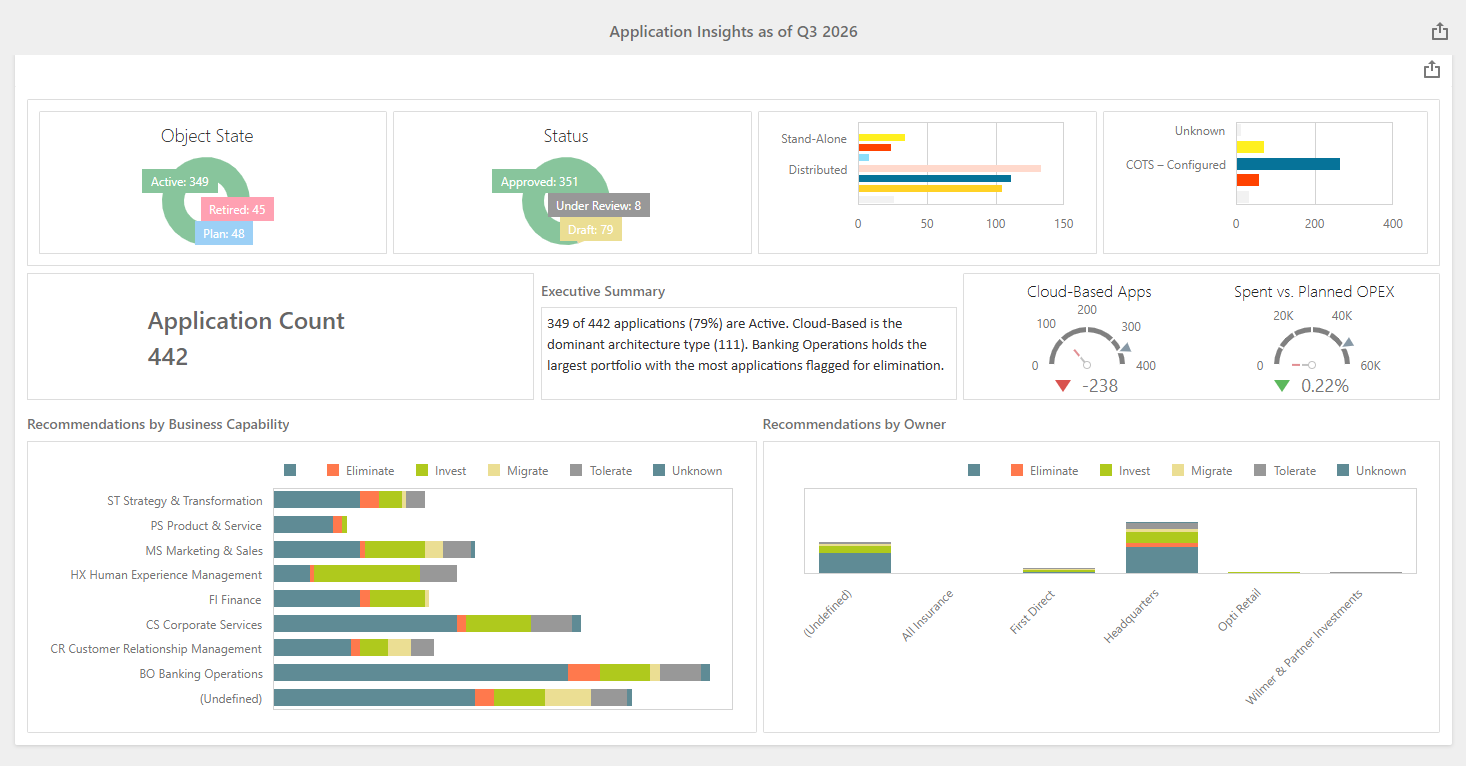
Alfabet provides analytics dashboards that are based on the embedded third-party tool DevExpress® Dashboard. Analytics dashboards support end users to create ad-hoc information-rich data visualizations. Users can use the full range of visualization possibilities available in the DevExpress Dashboard Designer. Add one or more dashboard items such as charts, scatter charts, grids, cards, gauges, pivots, range maps, tree-maps to the analytics dashboard and leverage filtering options such as combo-boxes, list boxes, and tree views.

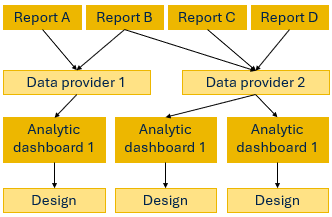
An analytics dashboard is based on a data provider which consists of one or many pre-configured reports or database views that provide data from the Alfabet database in a table structure. The data from the reports or database views can then be used to design the analytics dashboard. As the dashboard designer, you can select the visualization type, specify the data from the data provider that shall be visualized, and design the layout of the dashboard.

The following steps are required to define the analytics dashboard:
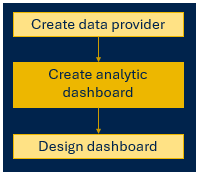
- Create the data provider, selecting one or multiple reports containing the required information.
- Create the analytics dashboard, selecting a single data provider and deciding about the visibility of the view to end users.
- Design the analytics dashboard.
Analytics dashboard definitions offer extensive flexibility in design. A tabular report can be used in multiple data sources and the same data source can be used to create multiple analytics dashboards, each one analyzing a different aspect of the data source.
Once you have designed the analytics dashboard and shared it with user, these users can add the dashboard as dashboard page to class-independent content areas (like Home) via the 'Add Dashboard Page' interaction in the three-dots menu of the content area. When the user adds a dashboard page to a content area, the dashboard is visible with predefined content, but not editable. Users cannot share the tab they added as dashboard page with other users.
Dashboard pages have a different an icon in the content area tab to destinguish them from content pages. In class-independent content areas, tabs for dashboard pages show a  icon.
icon.
Analytics dashboards are not compliant with the dark mode for rendering the user interface.
Add preconfigured analytics dashboards
Two predefined analytical dashboards are available and can be added to a content area via the Add Dashboard Page option.
Finance Dashboard for the project portfolio. The analytical dashboard labelled Finance Dashboard provides a consolidated financial view across the project portfolio by aggregating financial data from all relevant projects. It leverages the detailed monthly figures maintained in the Benefit Tracking and Benefit Realization views, enabling users to analyze financial performance through a single, centralized dashboard.
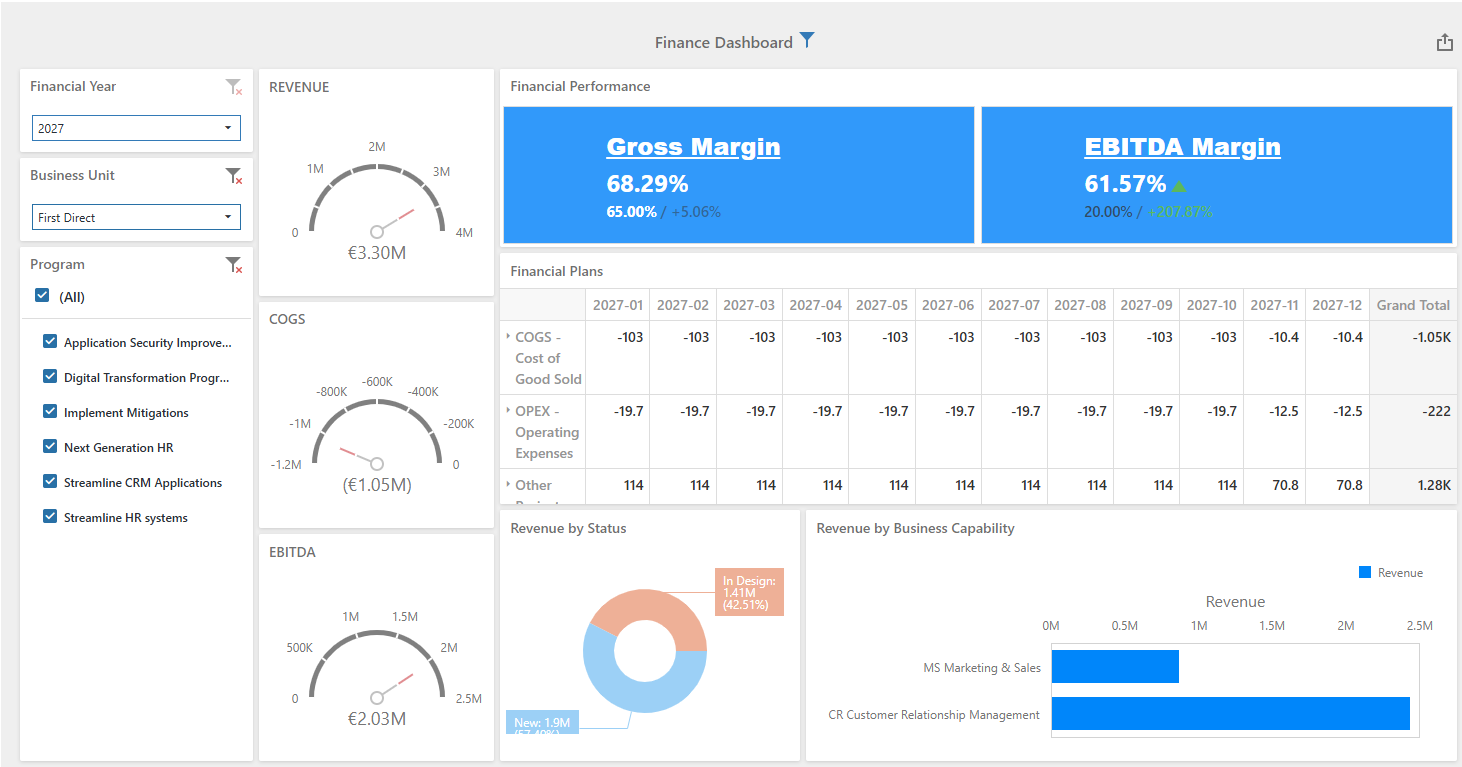
The dashboard calculates and presents key financial indicators:
- Revenue represents all project benefits for the current year, combining actual values for past periods and forecast values for future periods.
- COGS (Cost of Goods Sold ) includes all costs assigned to sub-cost types categorized as COGS - Cost of Goods Sold, using actual values for past periods and forecast values for future periods.
- EBITDA is calculated as total benefits minus total costs, combining actual and forecast values according to the period.
- Gross Margin represents the ratio between total benefits and the related COGS costs, providing insight into the profitability of delivered benefits.
- EBITDA Margin is calculated by dividing EBITDA by total benefits, indicating the percentage of revenue that remains after operational costs have been considered.
Application Portfolio Analysis dashboard. The analytical dashboard Application Portfolio Analysis provides a comprehensive overview of the application portfolio, including application inventory metrics, current lifecycle and status information, operational expenditure (OPEX), and the distribution of investment recommendations. This dashboard allows users to assess portfolio health, identify optimization opportunities, evaluate investment priorities, and support data-driven decision-making across the application landscape.