Bizzdesign logo
  • Contact us
    Alfabet Support Hopex Support Horizzon Support Unify Support
  • Bizzdesign Community
  • Bizzdesign University
  • Bizzdesign
 
  1. Alfabet help
  2. SCIM Management
  3. Debugging
  • SCIM Management
  • Setting up the SCIM environment
    • Installation
    • Create a system user for the Alfabet RESTful services
    • Create the SCIM application database
    • Create environment variables for the database user information
    • Configure the SCIM application
    • Implement the Alfabet SCIM application on the web server
    • Define two-factor authentication for the SCIM application
    • Generate a token for the identity provider
    • Interrupt data synchronization
    • Map user data
    • Define user profile assignment on basis of groups
    • Force Restart
  • Monitor SCIM
  • Debugging
  • Release Notes 2.1 SCIM Changes

Debugging

A Stored SCIM User Data option can be activated in the Alfabet SCIM application settings for debugging purposes. The view shows the data stored in the internal database of the Alfabet SCIM application derived from the user data from the identity provider. This view helps to identify issues that might be caused by conflicting data.

The view displays confidential user data and should only be enabled if issues with user authentication occur.

Although the view includes an option to remove user data from the internal database, customers should exclusively use the view to provide information to Alfabet Support if they encounter issues. Correction of the internal data should only be done by Alfabet Support.
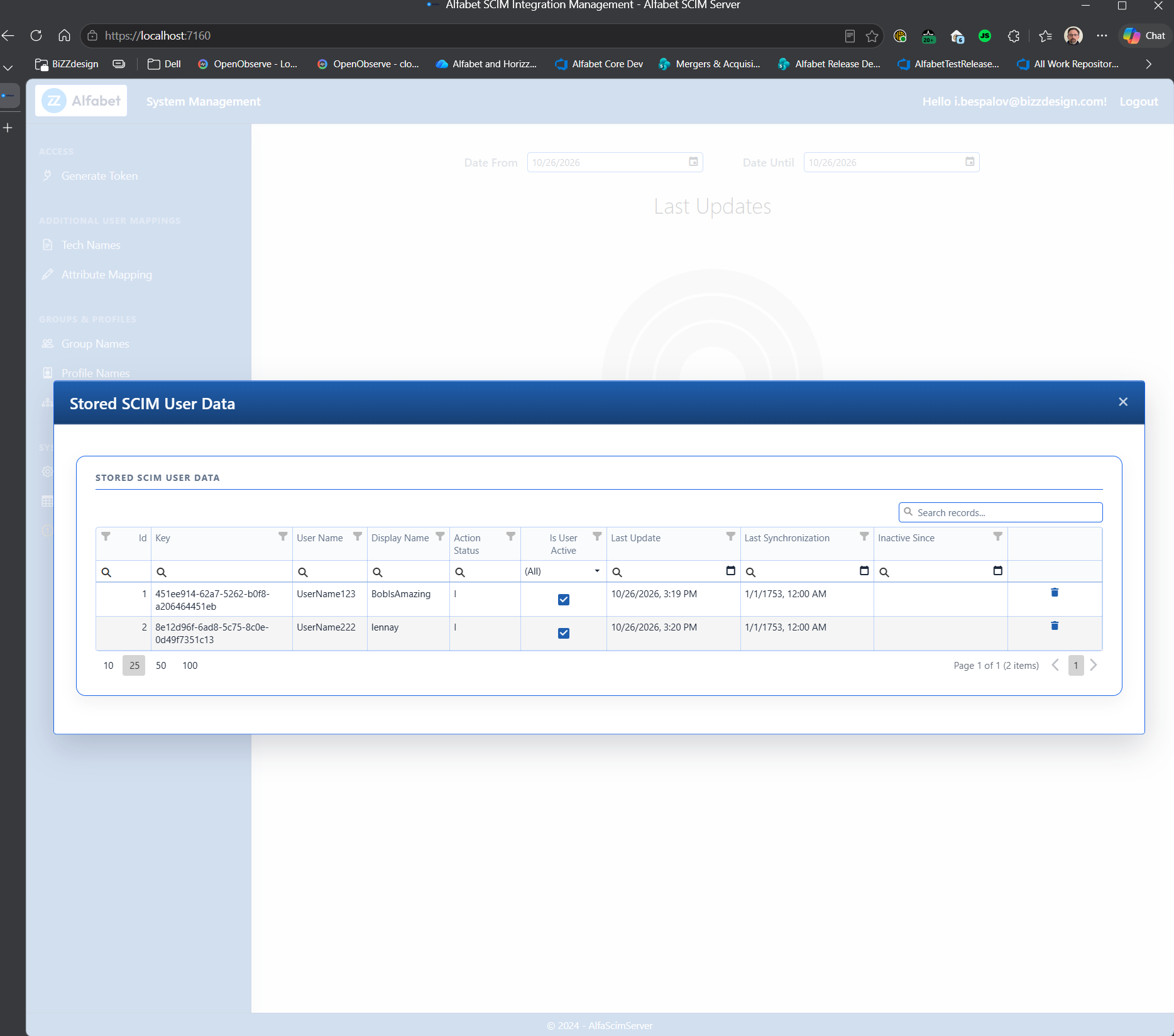
Auth_SCIM_StoredUserData 

To activate the view, open the alfasettings.json file in the SCIM/Config folder of the Alfabet installation directory in a text editor and set the EnableScimUserData field in the JSON object in the AlfabetConfiguration field to true.

For security reasons, re-set the field to false as soon as the issue has been solved.

Alfabet Resources

  • Support
  • Learning Portal
  • Downloads
  • Announcements
  • Release Lifecycle
  • Cloud Availability

Support

  • Alfabet Help
  • Hopex Help
  • Horizzon Help
  • Unify Help
  • Knowledge Base

Resources

  • Bizzdesign Community
  • Courses and E-learning
  • Blog Articles
  • Events & Webinars
  • Resource Center

Company

  • Bizzdesign
  • Alfabet Support Policy
  • Hopex Support Policy
  • Privacy Policy
  • Code of Ethics
  • Legal Notices

Copyright © Bizzdesign