
Bizzdesign logo
  • Contact us
    Alfabet Support Hopex Support Horizzon Support Unify Support
  • Bizzdesign Community
  • Bizzdesign University
  • Bizzdesign
 
  1. Alfabet help
  2. Getting Started
  3. Data capture and maintenance
  • Welcome to Alfabet
  • Learn the basics
    • Log in to Alfabet
    • Change your password
    • Set your default user profile
    • Specify the color theme for your user interface
    • Specify your email address and picture
    • Change the language of the interface
    • Render your data in compact mode
    • Overview of the user interface
    • Navigate through the user interface
    • Navigate via keyboard through the user interface
    • Search for your data
    • Search for a data workbench or business question
    • Save your favorites
    • Communicate with your colleagues
    • Share content with your colleagues
    • Share a URL with your colleagues
    • Store your user context settings
    • Save your data
    • Export your data
    • View your notifications
  • Understand access permissions
    • User profiles
    • Authorized users and user groups
    • Roles
  • Maintain and plan your IT architecture
    • Methodology and the class model
    • Data capture and maintenance
    • Improve the quality of your data
    • Data analysis with business questions
  • How to use data workbenches
    • Define the data you want to see
      • Add and remove columns
      • Reorder columns
      • Set the fixed column position and remove freeze
      • Reorder the data in columns
      • Filter the data in the data table
    • Add new assets and edit existing data
    • Edit data with the help of guided data entry
    • Generate and translate text fields with AI
    • Visualize your data in reports and business charts
      • Set up the bar chart
      • Set up the line chart
      • Set up the pie chart
      • Set up the radar chart
      • Set up the doughnut chart
      • Set up the board visualization
      • Set up the Gantt chart
      • Set up the matrix report
      • Set up the portfolio chart
      • Set up a card
      • View preconfigured reports
      • Add a visualization to the content repository
  • How to use content areas
    • Edit data in a content area
    • Change content areas to your advantage
      • Set filters for a content area
      • Add or remove content in a page in a content area
      • Save content to the content repository
      • Change the settings for a content item
      • Change the size of a content item in a content page
      • Change the order of content items in a content page
      • Add a new content page to a content area
      • Remove a view from a content page
      • Remove a page from the content area
      • Delete a content page
      • Export a content page
      • Restore the default content page
      • Share content with your colleagues
      • Manage your content repository
  • Understand workflows
    • Trigger a workflow
    • Take care of your workflow activities
  • Design diagrams visualizing your IT landscape
    • Specify the basic settings to design your diagram
    • Add existing assets to the diagram
    • Add connections between diagram items
    • Use placeholders for assets in the diagram
    • Add referenced assets to the diagram
    • Delete and remove diagram items
    • Change the look of diagram items and shapes
  • How to design and manage storyboards
    • View your storyboards
    • Create and manage storyboards for your user community
      • Create a storyboard
      • Design the storyboard
      • Specify access to the storyboard
  • Complete your data collection tasks
  • Get help if you're lost

Data capture and maintenance

Keeping your data accurate, up-to-date, and complete is at the heart of successful IT portfolio management. Only with a healthy data repository can you make informed strategic decisions about your business.

Alfabet enables a single source of truth about the applications and technologies in your IT portfolio. With Alfabet, you can carry out the tasks necessary for application portfolio management and technology portfolio management.

For a quick up-to-date overview of your IT portfolio, click Home in the left navigation panel. The My Dashboard page in the content area shows various reports about the IT architecture. Architecture Summary shows a breakdown of the number of assets per object class with information about the data quality.
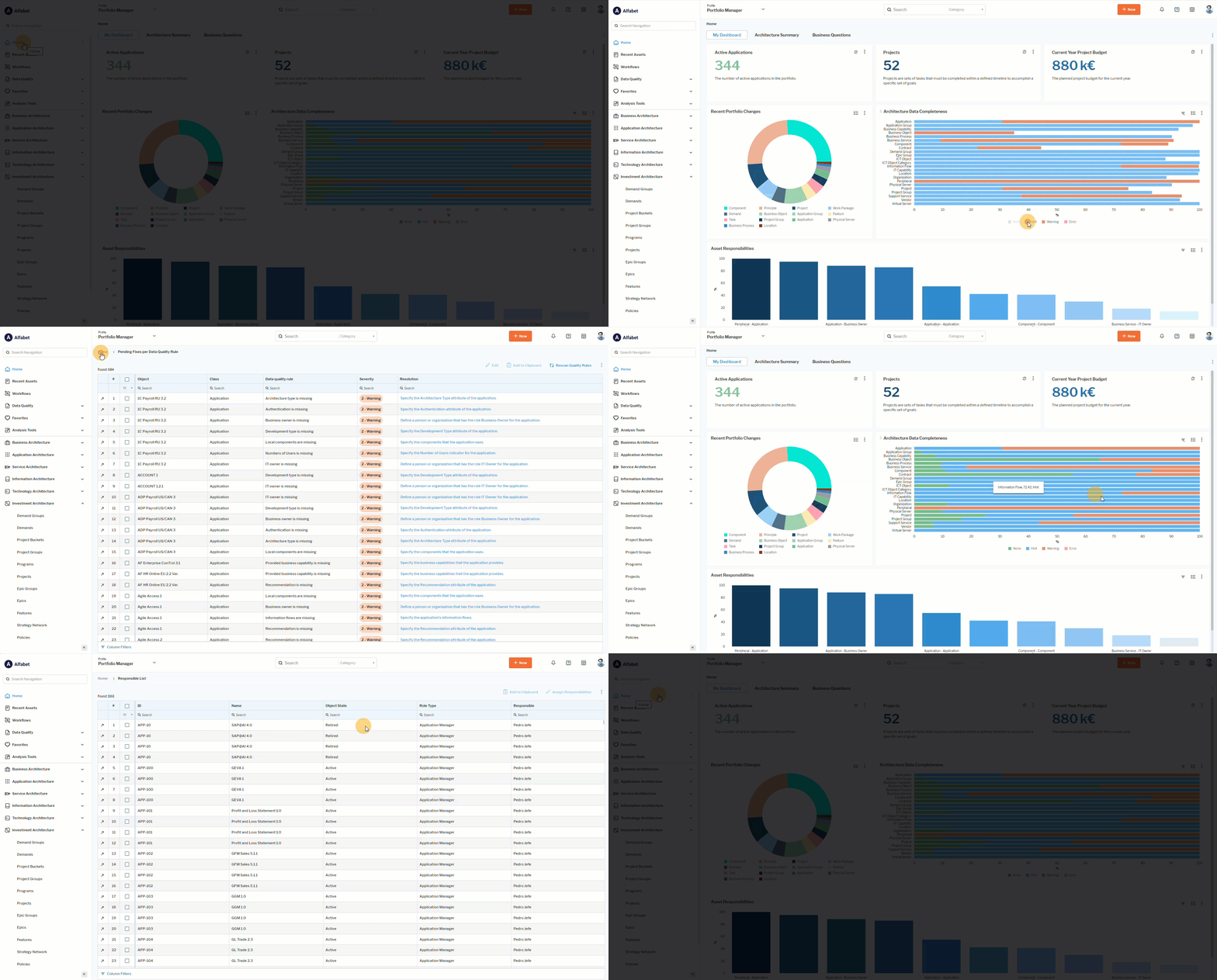
Click here to see how. 

Alfabet Resources

  • Support
  • Learning Portal
  • Downloads
  • Announcements
  • Release Lifecycle
  • Cloud Availability

Support

  • Alfabet Help
  • Hopex Help
  • Horizzon Help
  • Unify Help
  • Knowledge Base

Resources

  • Bizzdesign Community
  • Courses and E-learning
  • Blog Articles
  • Events & Webinars
  • Resource Center

Company

  • Bizzdesign
  • Alfabet Support Policy
  • Hopex Support Policy
  • Privacy Policy
  • Code of Ethics
  • Legal Notices

Copyright © Bizzdesign