
Keeping your data accurate, up-to-date, and complete is at the heart of successful IT portfolio management. Only with a healthy data repository can you make informed strategic decisions about your business.
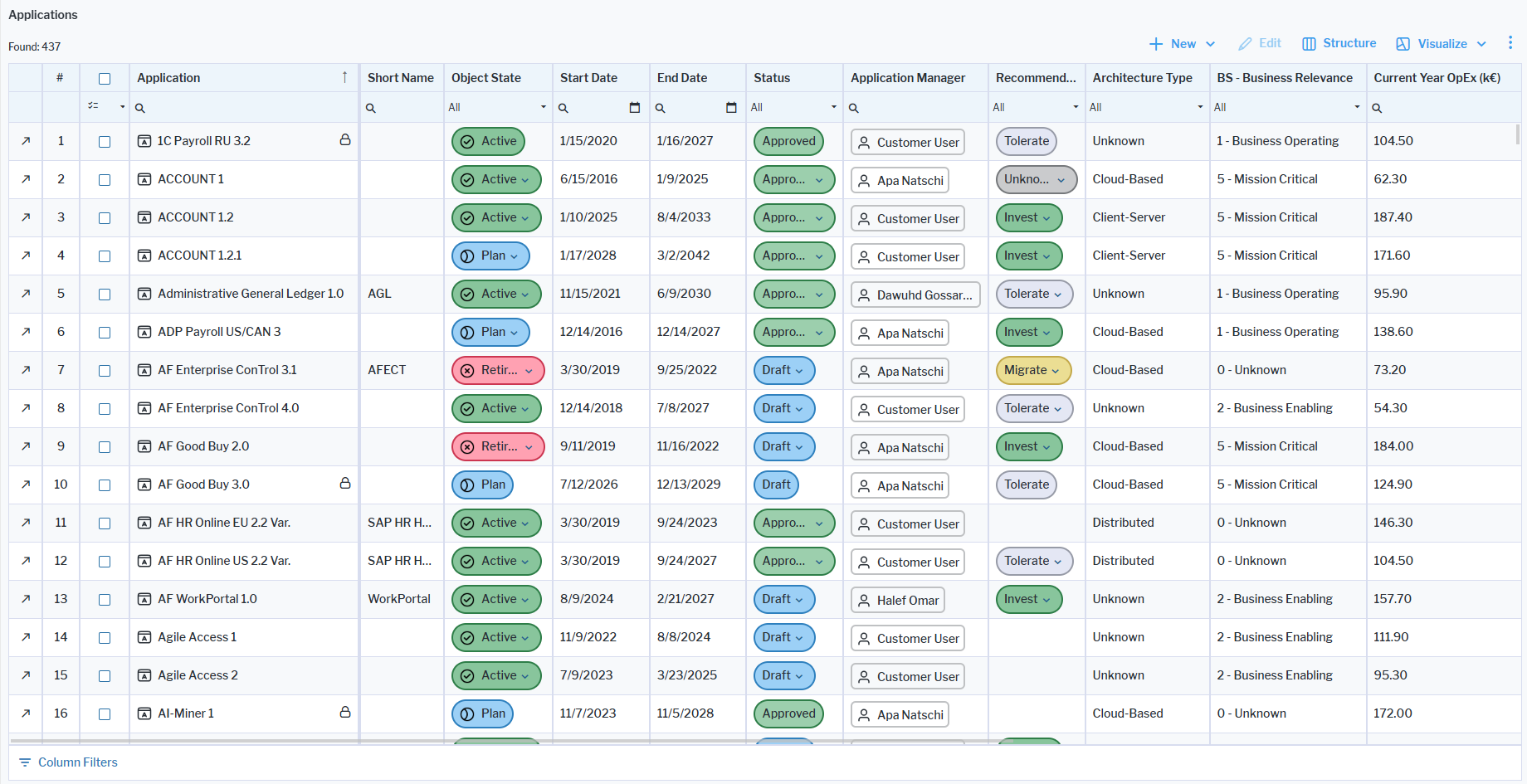
Data workbenches are easy-to-use views that allow you to slice-and-dice the data via filter settings so that you only see what is relevant for you. They are available throughout Alfabet whenever data for multiple assets can be added or edited for a specific object class. For example, expand an architecture section in the left navigation panel and select the respective asset type to open its data workbench.
You will see all assets relevant for the data workbench and you will be able to edit the ones that you have permissions for based on your status as an authorized user or a member of an authorized user group . A lock  symbol is displayed for assets that you do not have write permissions for. Users with read-only permissions can view all information about an asset and navigate to its content area.
The data workbench consists of a data table where you can capture and edit all assets displayed in the dataset as well as the means to visualize your data in reports and business charts. You can filter the data in the data table to see only the assets you are interested in. Any visualizations you create in the context of the data workbench will show only the filtered data. Data quality information can also be shown in the data table or in a dedicated view that allows you to easily resolve data quality issues for an asset.
Data can be updated directly in the data workbench or by navigating to related views where you can provide missing information or correct data quality issues. The data workbench toolbar includes buttons for all relevant tasks. If your screen size is reduced, buttons will be automatically bumped to the  3-dots button.