Search for your data
-
Search for an asset. Enter the name or part of the name in the Search field in the header. Matches containing the letters you entered will be displayed in the drop-down list ordered by asset type.
When clicking into the search field, the last five objects you navigated to from the search results are automatically shown in a Recent Objects section in the drop-down. You can just click the search term and immediately go to its content area.
- Reduce the number of results. Select the relevant asset type in the Category field.
- Show all search results. Press the ENTER key or click the View More link to display a Search Results table showing all matches. You can edit any asset directly in the Search Results table.
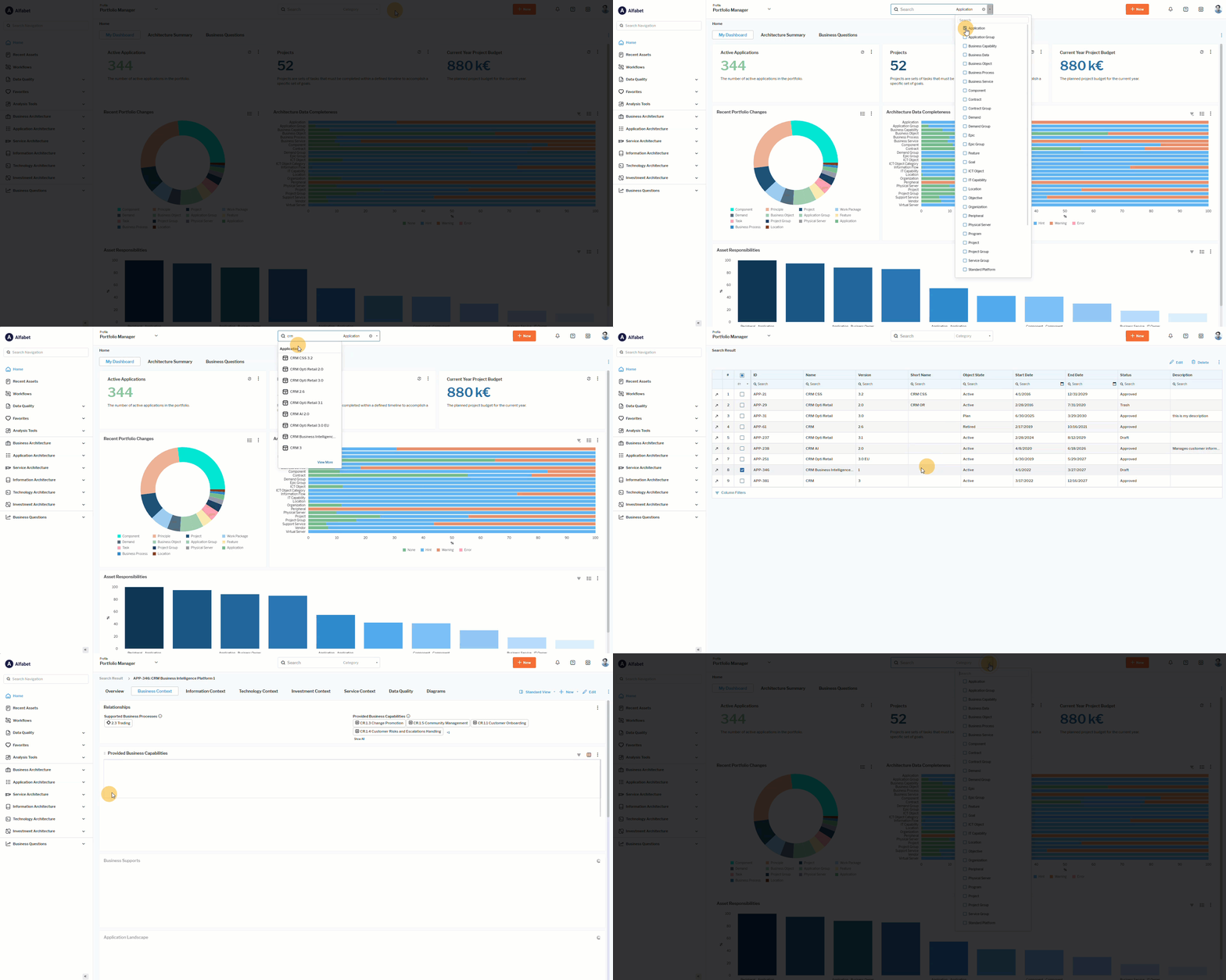 Click here to see how.