Change the language of the interface
The Alfabet interface can be rendered in English, German, French, Polish, Portuguese and Arabic.
- Click your user icon in the upper right corner of the screen and select User Settings.
- Go to the Language and Regional Settings section.
- Set a checkmark for the language you want to display.
- Click Update.
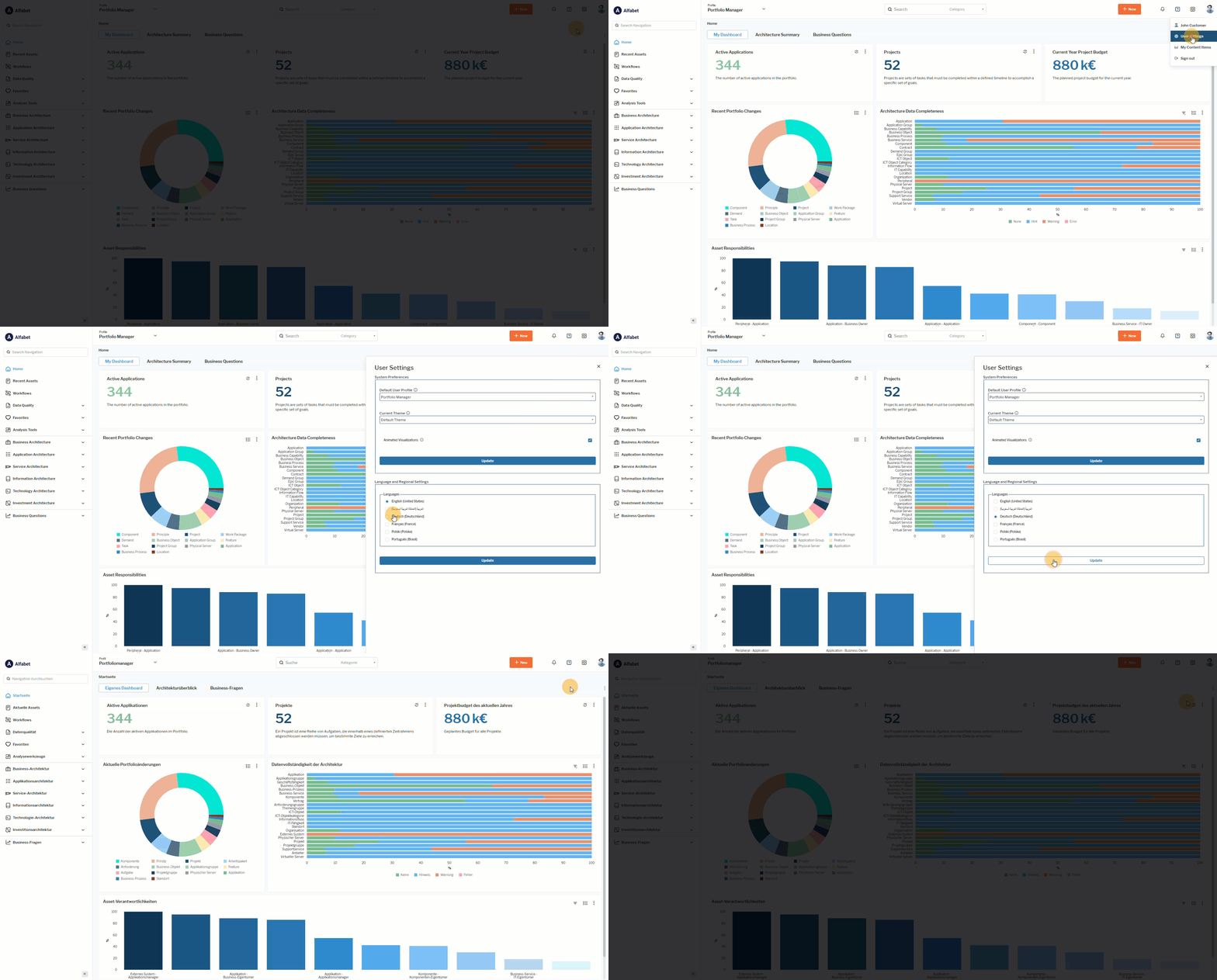 Click here to see how.
If you switch the interface to a different language, or share a URL with someone using another language, some filter values may no longer be applied. Filters are only carried over automatically when their values come from a fixed, translatable value set. For example, a filter based on a release status definition or indicator value will work reliably in any language because each value has a known translation.