
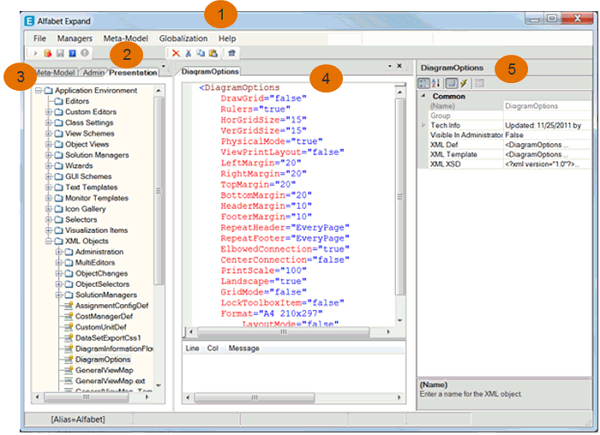
The Alfabet Expand user interface consists of the following parts:
 I
I
| 1. Menus | Menus providing access to options to carry out tasks in Alfabet Expand. |
| 2. Toolbar | The tools displayed may vary depending on the configuration object selected in the explorer or in the center pane. |
| 3. Tabs | Tabs provide access to explorers containing configuration objects. |
| 4. Editor | The center pane displays editors to design or edit configuration objects such as custom editors, object cockpits, and XML objects. |
| 5. Attribute Window | The attribute window contains the attributes that can be defined for the configuration object currently selected in the explorer. |