Content areas are dashboards that provide information and editing capabilities to users. They are composed of one or multiple pages with different information. There are different types of content areas:
- Class independent content areas are available via the navigation menu of Alfabet. These content areas provide access to cards, views, and data workbenches. They can serve as general dashboards that users can use to collect their favorite views, or they can combine a number of views required for providing a defined functionality.
- Class-based content areas are available for each object in the Alfabet database. These content areas provide information about an object and editing capabilities to alter the object. The class-based content area opens when a user navigates to an object, for example from a data workbench.
- Content areas for a single base object can be used to create for example a content area with data for the current user or any single object which needs specific attention. Like class independent content areas, content areas for a single base object are available via the navigation menu.
For class-based content areas and content areas for a single base object, you can change the base object for single content pages and content items via a query. For example, you can add content about the base object of a workflow to the content area about the workflow or workflow step.
Content areas consist of the following, configurable elements:
-
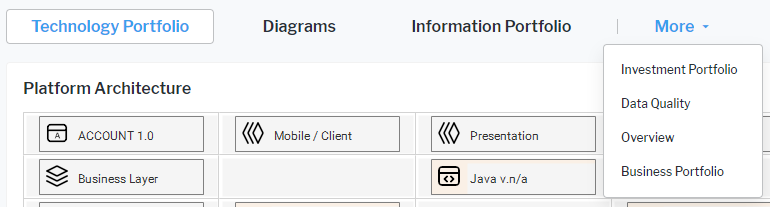
Content Page: Each content area can have multiple pages. These are accessible via tabs in the user interface.
-
Content Item: A content item is a content element on a content page. It can be one of the following:
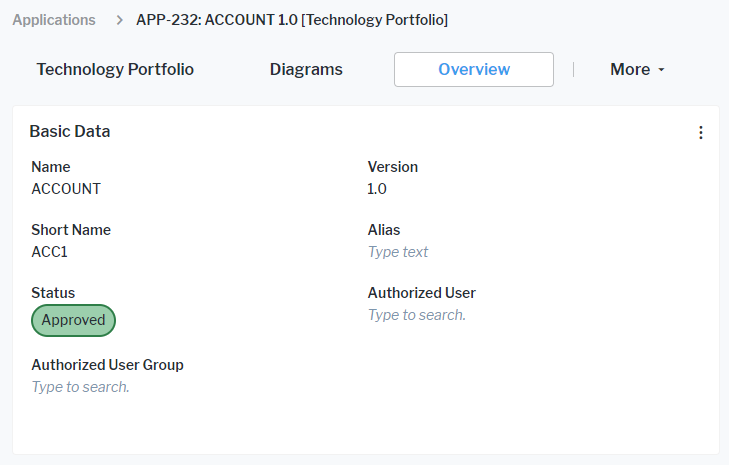
- Property Groups: Only for class-based content areas. Property groups provide ReadWrite or Read access to object class properties, depending on the user's access permissions to the object. You can define the availability, the editability, and sorting of the object class properties in the class settings.
- Data Workbenches: Data workbenches provide editing capabilities.
- Standard Views and Configured Reports: These views provide either graphic or tabular views on data with or without editing capabilities.
- Business Functions: Business functions are part of the standard Alfabet configuration and show explorers or views.
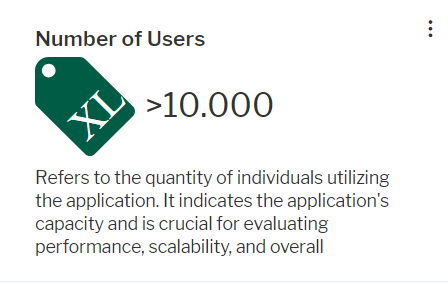
- Cards: Cards represent indicators or numeric data. Administrative users defining evaluation types and indicators can create cards displaying indicators.all users can create cards about a numeric value derived from data in a data workbench and add it to the content area.
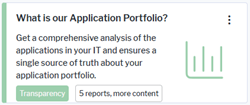
- Categorized Visual Items: Categorized visual items are cards linking to content like data workbenches, other content areas, views or business functions. Users can see information about the navigation target in the card, and they can click the title to navigate to the navigation target.
- External URL content: Views from external web-based applications and web sites can be embedded read-only to a content area as a content item.
- Property Groups: Only for class-based content areas. Property groups provide ReadWrite or Read access to object class properties, depending on the user's access permissions to the object. You can define the availability, the editability, and sorting of the object class properties in the class settings.
-
Analytics Dashboard Page: A dashboard page adds an analytics dashboard defined by an administrative user read-only to the content area. Dashboard pages can only be added to class-independent content areas. Dashboard pages have a different icon than content item pages in the content area tab. In class-independent content areas, tabs for content pages show a
 icon and tabs for dashboard pages show a
  icon.
icon. - Buttons: All content areas have a standard menu for working with the content area, for example to hide content items or add content items or additional pages. Only class-based content areas can have a toolbar with button interaction to alter the object the content area is about. You can adapt both the menu for changing the content of the content area and the buttons for editing the object in the class settings.
-
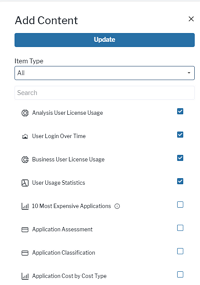
Content Repository: Objects in the content repository can be selected by users to add them to a page of the content area in addition to the content you added as default when configuring the content area. Users can also add their own content to the content repository.