
Texts defined on the Alfabet user interface in text edit fields in property groups of content area pages or guided data views can be generated, enhanced, or translated via AI. If the feature is activated, users will see the AI commands for text generation in the three-dot menu options of the object class property group.
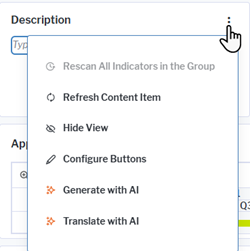
The AI text processing is only available if the text property is the only content in the object class property group. Users can use AI support for the following tasks:
-
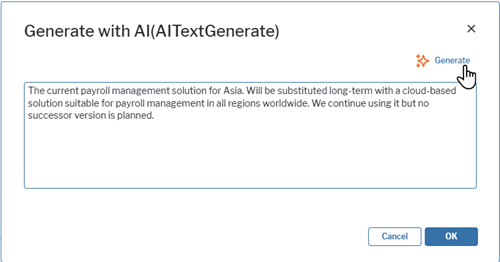
Generate or enhance a text via AI. Users can either add an own description or leave the field empty before using the Generate with AI option in the three-dots menu to generate a text. The text is generated based on the text provided by the user, if any, and the values of all object class properties that you have marked as relevant for text generation on implementation of the feature. Users can review and change the AI generated text in the AI editor or later directly in the text field. They can then decide whether to use the text. The text is discarded if the user clicks Cancel and overwriting the former, user defined text if the user clicks OK.
On opening, AI editor shows the text added by the user for the description of an application:
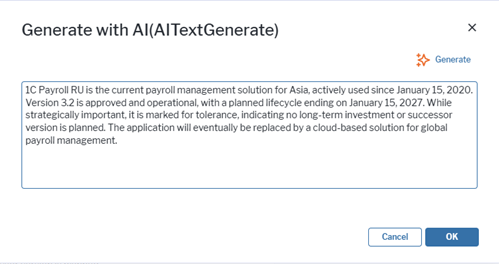
After the user clicked Generate, the text is altered by the AI. Information like application name and version, lifecycle, and strategic importance is available to the AI and used to enhance the information in the description:
-
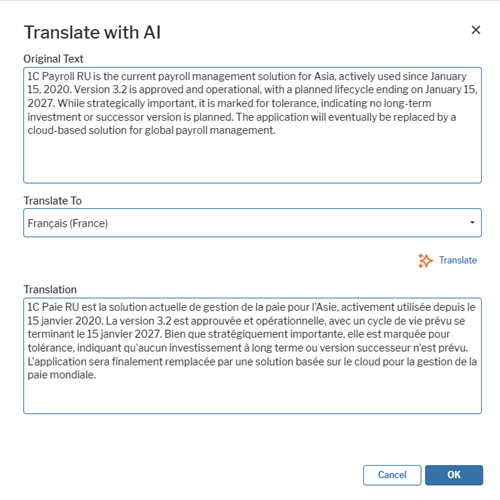
View a translation of a text. Users can click the Translate with AI option in the three-dots menu to open a translation editor and translate the text to any target language. The translation is view only. It is not stored to the database on closing of the editor.
For cloud customers the feature is available on request. By default, Mistral® provided via Amazon Bedrock® can be provided with no extra costs for Alfabet customers. Customers can decide to base the feature on other AI services and provide the access parameters for the AI services with the request.
For on-prem customers, the feature requires the configuration of the interface to the AI service that shall be used for the feature. If you want to activate the feature as on-prem customer, you need to license a third-party AI service. Currently, the following AI services are supported:
- Amazon Bedrock®
- Microsoft Foundry®
- Ollama®
The availability of text fields can be enabled per object class property and per user profile. By default, the feature is enabled for relevant object class properties and all user profiles.